A virtual comic con you can actually walk.
ForeverComicCon is an online comic convention built like the real thing: a 3D exhibit hall with aisles, booths, hanging signs, an artists' alley and an arcade in the middle of the floor. It runs in your browser, it never closes, and walking it is free. Here is exactly how to get in and get around, with pictures.
Step-by-step guide with pictures ↓ · 9 steps · Five minutes to be walking the floor.
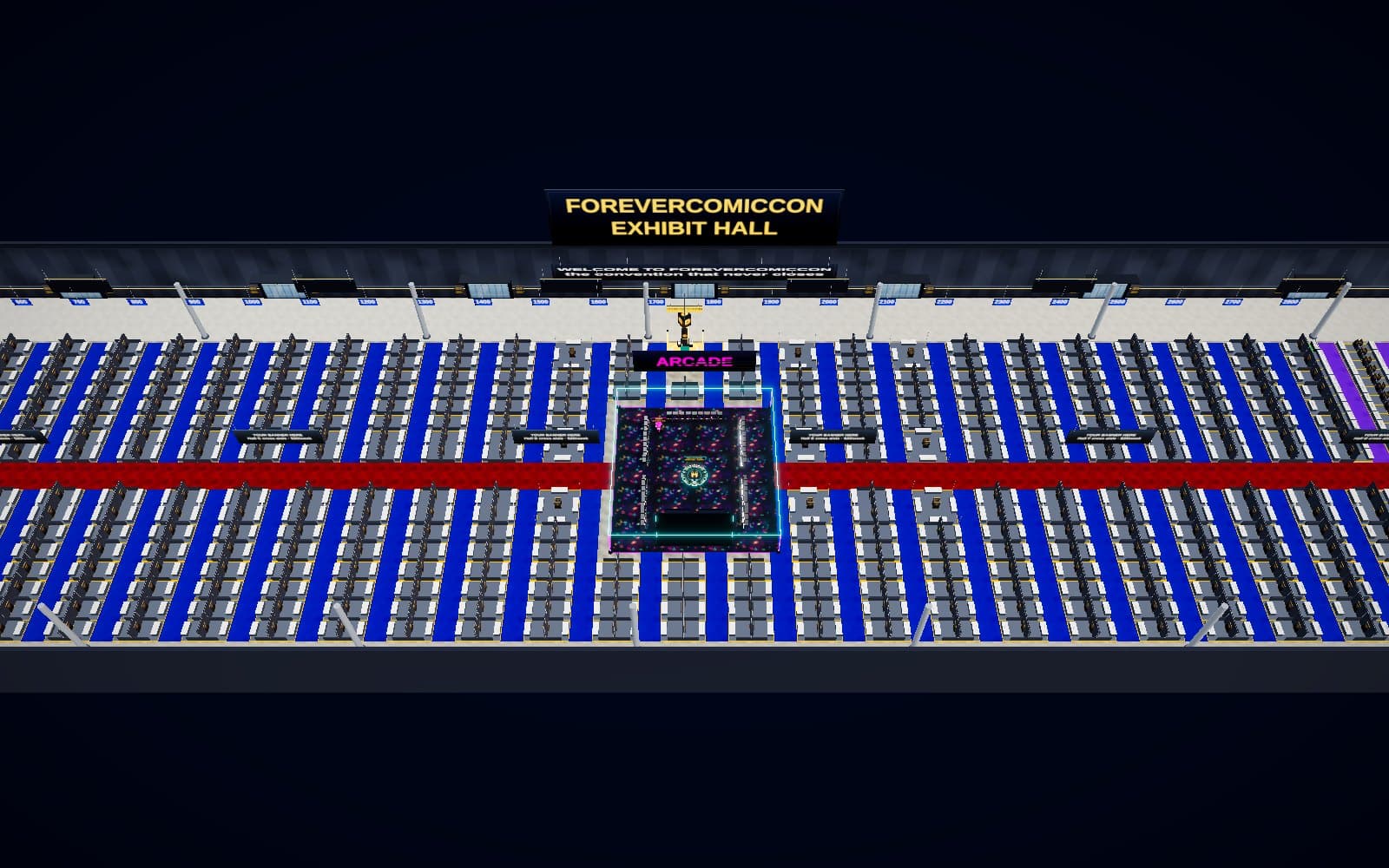
How to do it, screen by screen.
Written for someone who has never used the site. Every step says exactly what to press and shows what you will see. Five minutes to be walking the floor.
Have ready before you start
- A computer, laptop, tablet or phone with an up-to-date browser (Chrome, Edge, Firefox or Safari).
- Nothing to install and no account needed. An account is free and only matters if you want to keep an avatar and coins.
Step 1: Open the site and press Walk the floor
Go to forevercomiccon.com. Under the headline are two buttons. Press the dark one, Walk the floor · free. (The yellow one is for people who want to buy a booth.)
The hall opens in the same tab. The first time you will see "Opening the hall" for a few seconds while it downloads the floor and the models. After that it opens straight away.
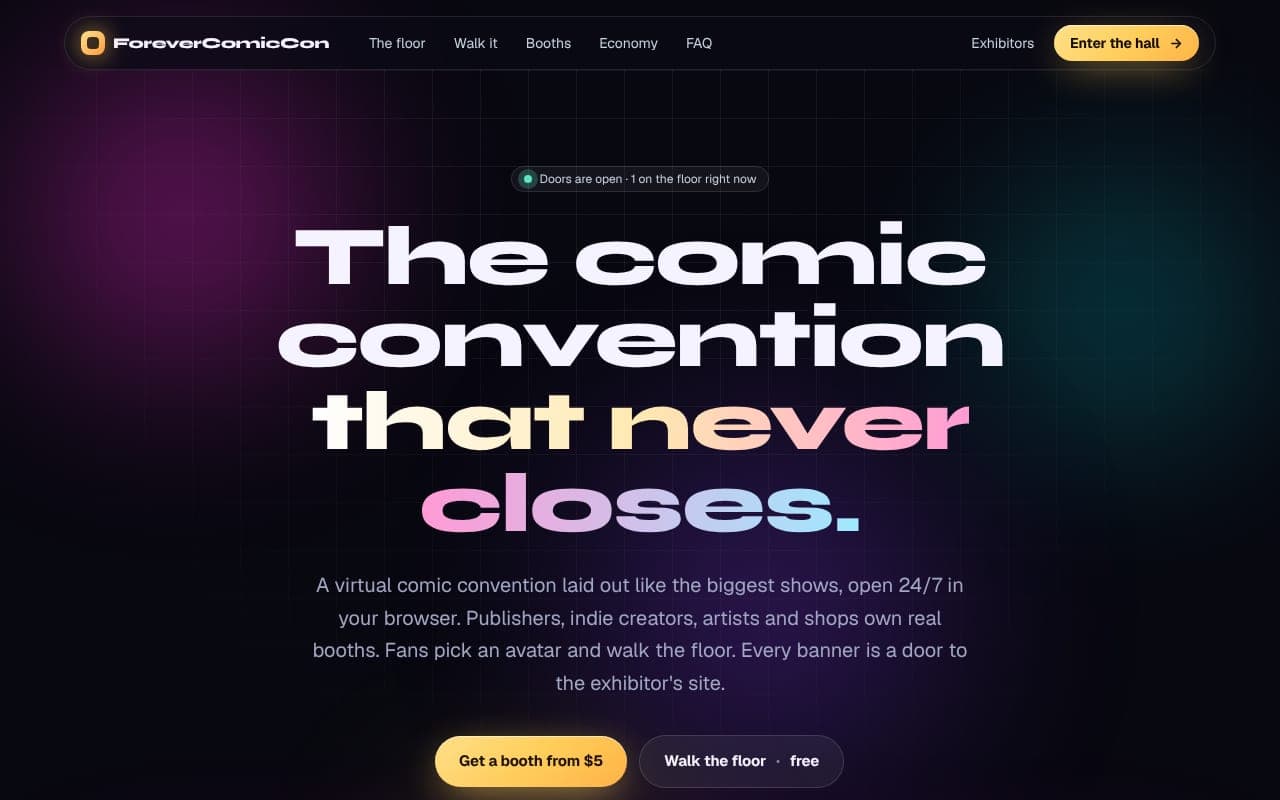
The home page. Press Walk the floor. Step 2: Walk around
You are standing in the hall as a little character (your avatar) and the camera is behind you. Move with the keyboard and look with the mouse:
- W or ↑ walks forward, S or ↓ walks back, A and D step sideways, ← and → turn.
- Hold Shift to run.
- Hold the left mouse button and drag to look around.
- On a phone: a joystick appears at the bottom right. Push it to walk, push it to the edge to run, and drag anywhere else on the screen to look.
- The small map at the bottom left shows where you are (the yellow dot) and where other people are. Press M to make it bigger.
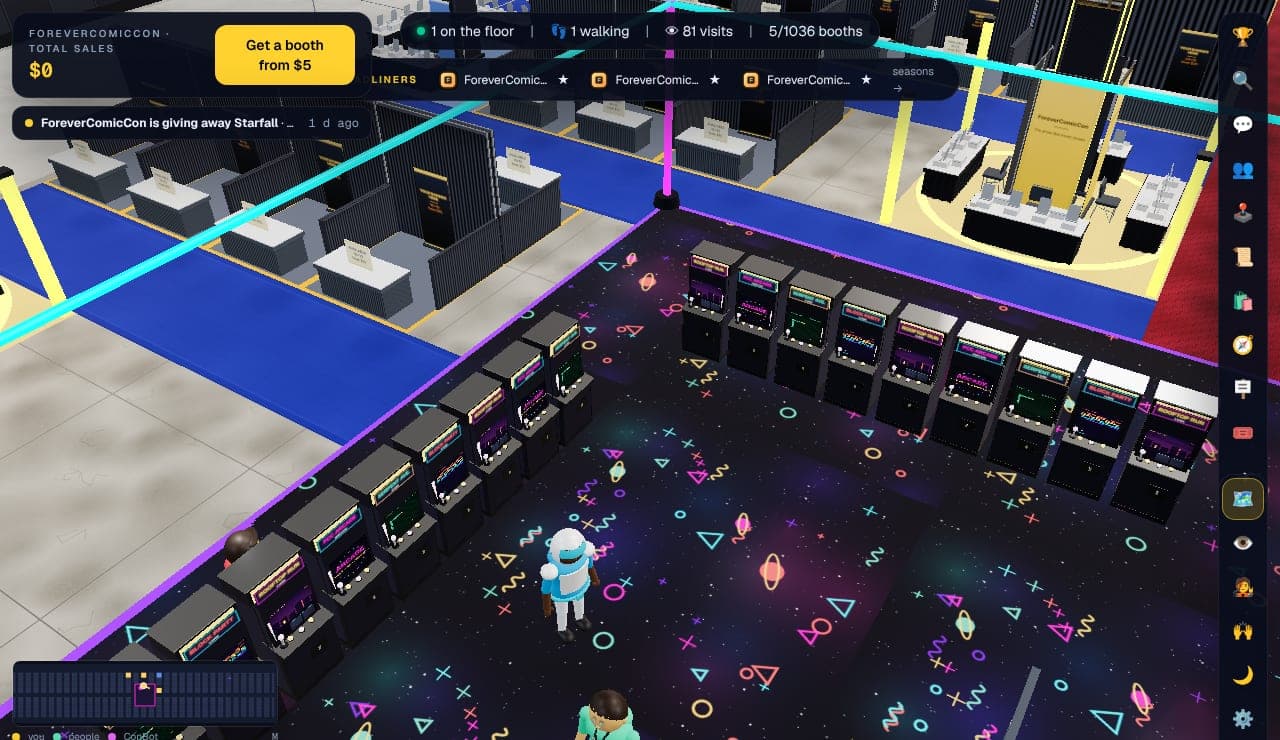
Walking the floor. Map bottom left, buttons on the right. 💡 The faint line at the bottom of the screen always lists the keys. If you ever get lost, press the compass button (🧭) on the right and take a tour; it walks you there.
Step 3: Know what is on the screen
A few things sit over the view. From the top:
- Top left: the show's total sales and a yellow Get a booth button (for exhibitors).
- Top middle: how many people are on the floor and how many booths are taken. Under it, the week's headliner booths.
- Right edge: the button bar. From the top: rankings 🏆, search 🔍, hall chat 💬, people and messages 👥, the arcade 🕹️, daily quests 📜, the shop 🛍️, guided tours 🧭, hanging banners, teams, the map/walk switch, first person 👁, your avatar, emotes 🙌, night mode 🌙, settings ⚙️ and help ❓.
- Bottom left: the map.
- Bottom bar: Exhibitors (the directory), Rankings, Arcade, Help and your coin balance.
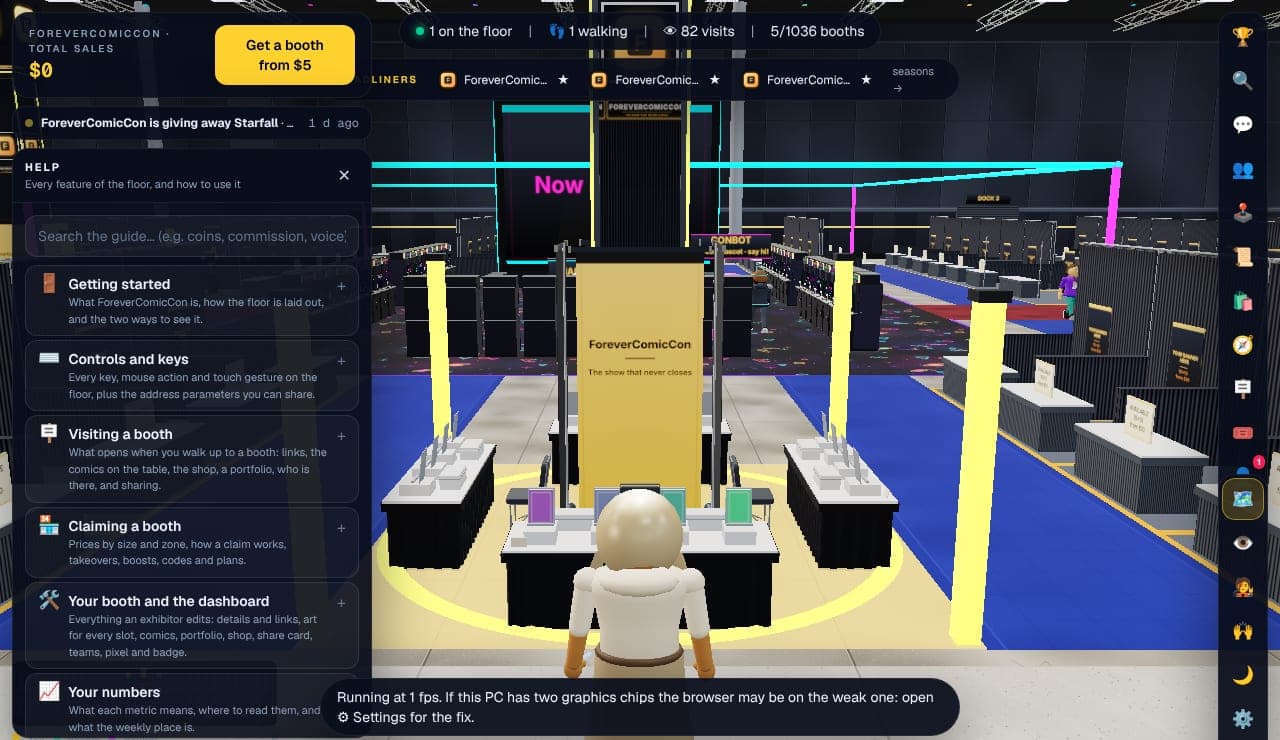
The Help panel (❓) explains every button on this screen. Step 4: Visit a booth
Walk up to any booth. When you are close, a card appears at the bottom with the booth's name and E. Press E (or tap the card on a phone) and the booth's panel opens on the left.
The panel shows the exhibitor's logo, name and tagline, a yellow Website button, the comics standing on their table under On the table, their Portfolio if they are an artist, and their Shop.
- Press Website to open their site in a new tab. The hall stays open behind it.
- Tap a comic cover to see it big. If it has a Buy label, the button under it opens their store.
- On the floor itself, rest your mouse on a cover or a framed print for a couple of seconds and it opens full size. Move the mouse away to close it.
- Click a banner on the floor and the exhibitor's website opens, the same as the Website button.
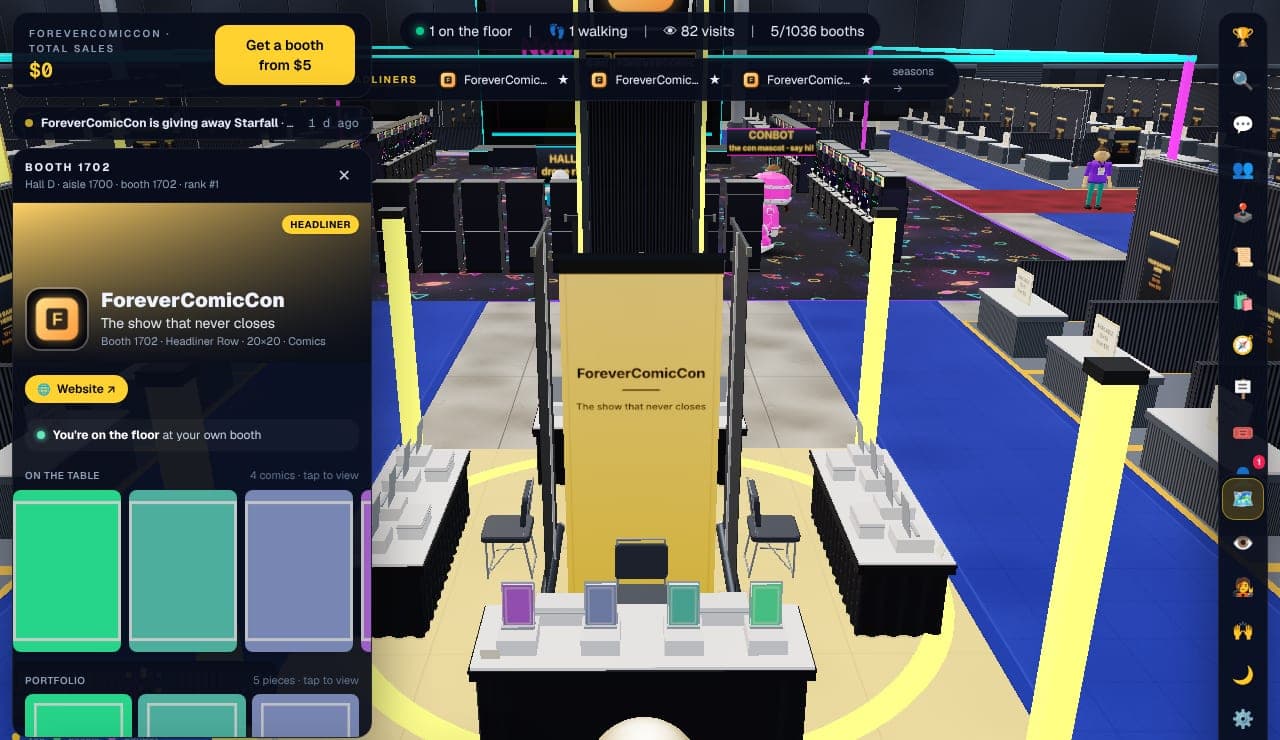
A booth panel. Covers on the table, Website button at the top. Step 5: Find a particular booth
Press the search button (🔍) on the right and type part of a name, a booth number or a category. Click a result and press Walk to the booth: your avatar walks there by itself.
The Exhibitors link in the bottom bar opens the full directory as a normal web page, with every booth by category.
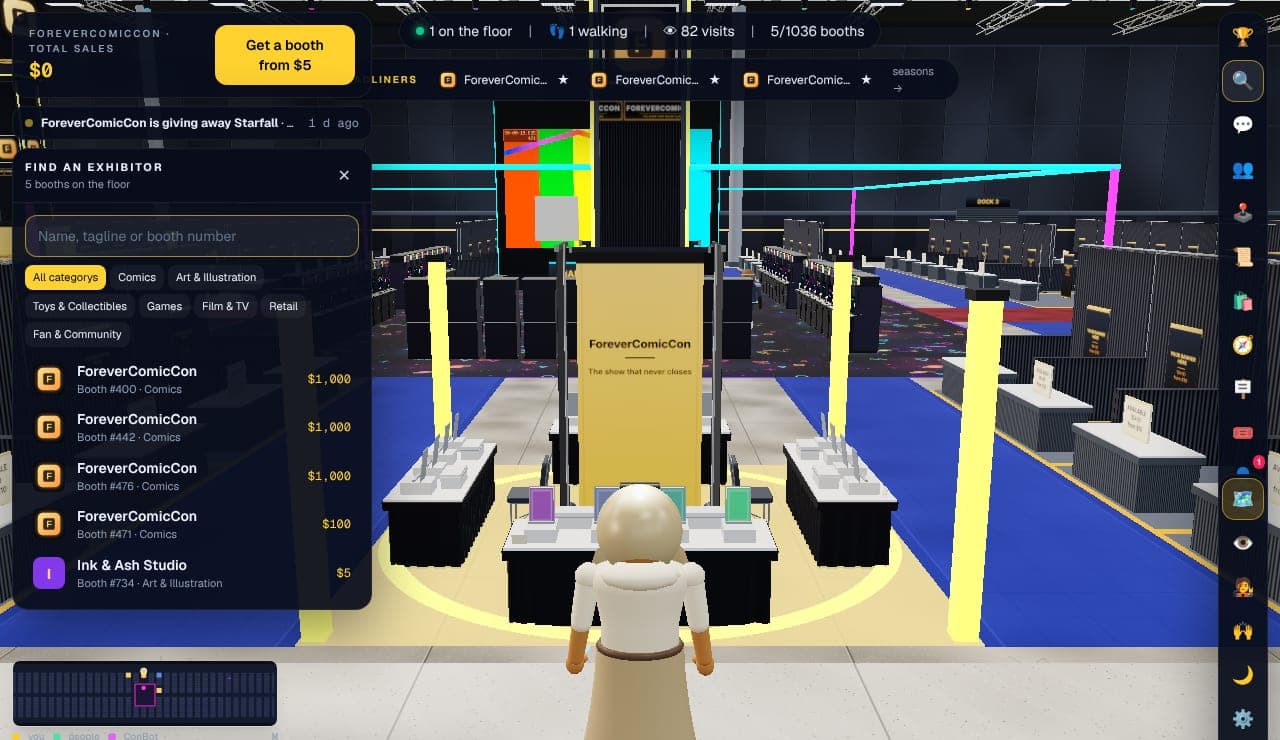
Search. Click a result and the hall walks you there. Step 6: Or let the show walk you
Press the compass (🧭) for Guided tours. Pick one: Headliners, New this week, Artists' Alley, the arcade and theater, or one per category. Your avatar follows a line on the floor from stop to stop, pausing at each booth. Press Skip to jump ahead or End to get off.
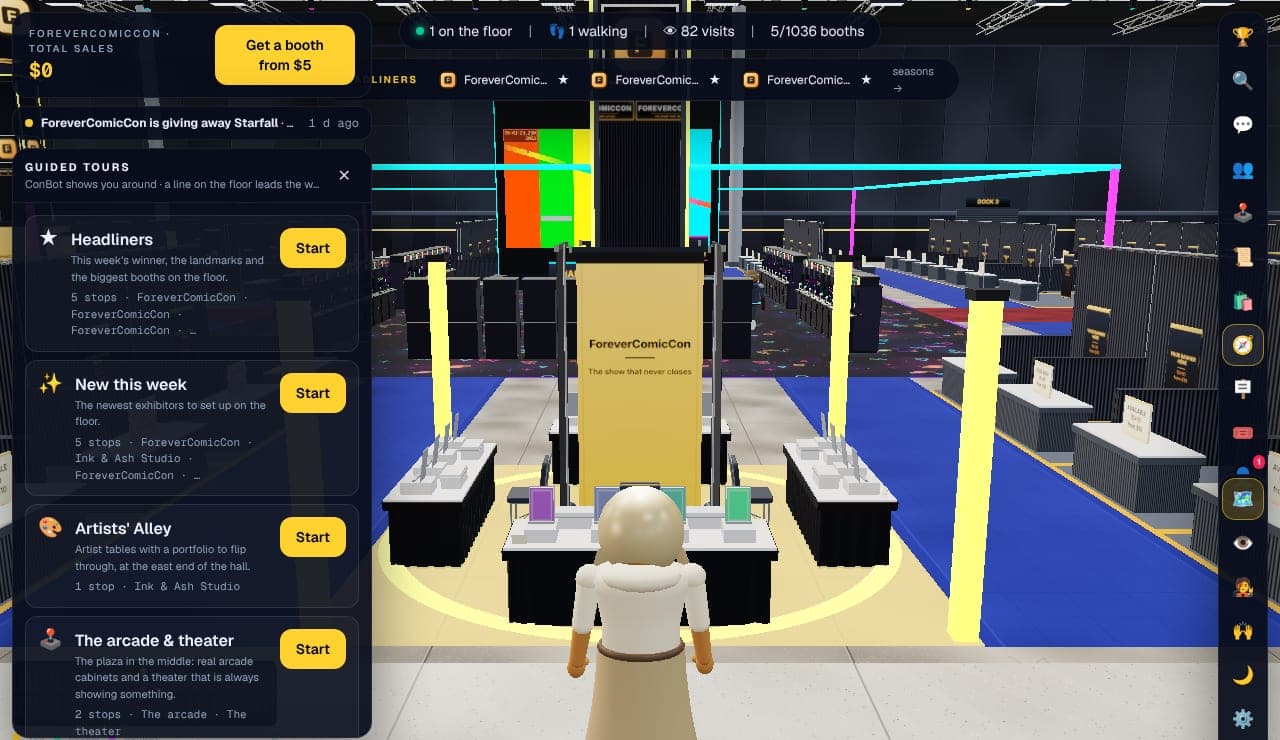
Guided tours. Pick one and follow the line. Step 7: Play the arcade and earn coins
The pink floor in the middle of the hall is the arcade: 11 cabinet games and a theater screen. Walk up to a cabinet and press E to play. Games cost a few coins each.
Coins are earned, not bought. You get some for signing up, for walking the floor, visiting booths, daily quests (📜 in the button bar) and finishing in the week's top rankings. ConBot, the pink robot mascot, answers questions if you walk up and say hi.
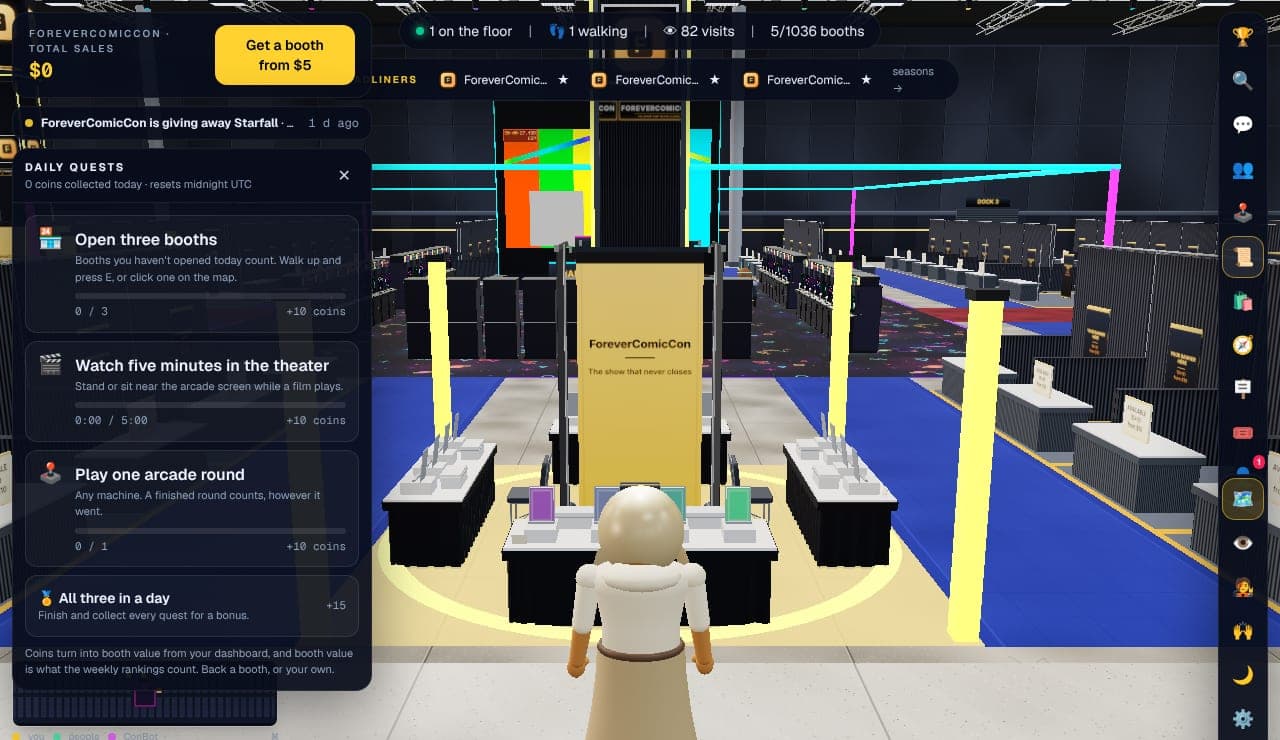
Daily quests. Each one pays coins when you finish it. Step 8: Dress your avatar
Press the avatar button (🧑🎤) on the right. Pick a body, skin, hair, outfit colours and, if you like, a costume. The preview turns as you change things. Costumes marked 🔒 are bought with coins in the shop (🛍️), and some booths give one away free to anyone who walks up.
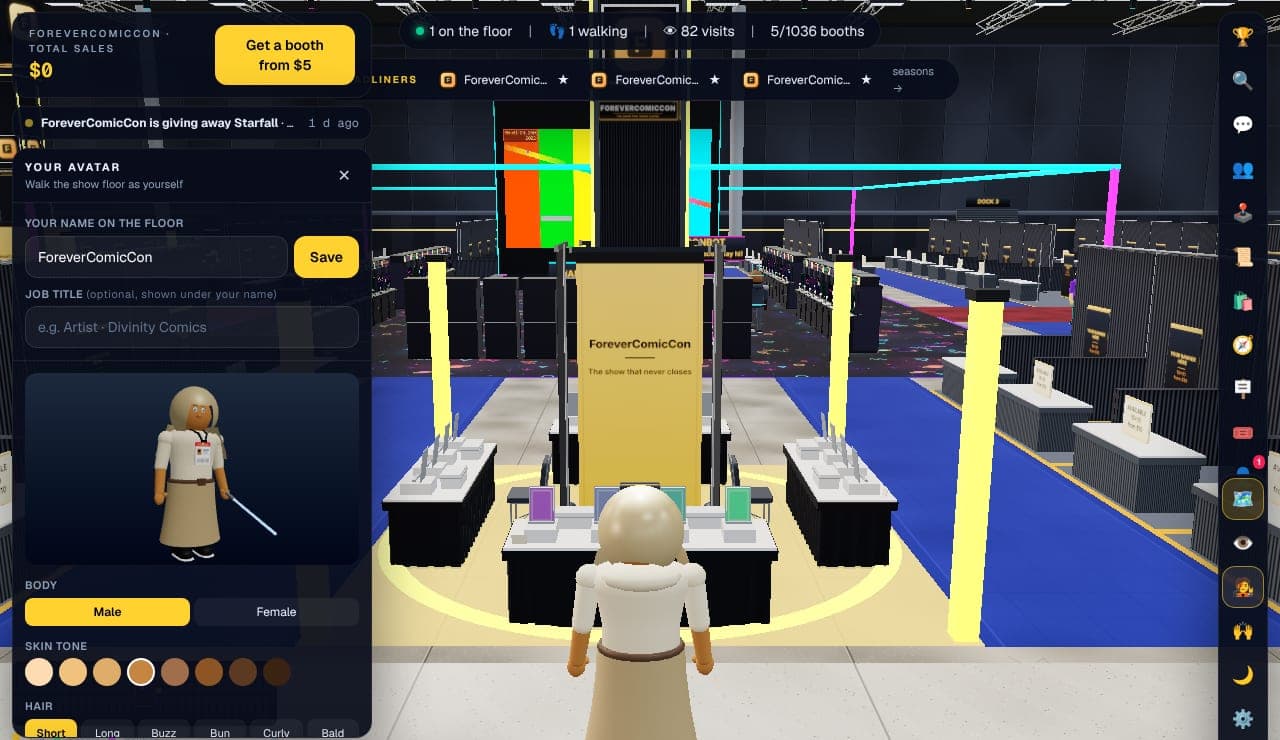
Your avatar. Everyone on the floor sees what you pick. Step 9: Make a free account to keep it
Without an account your avatar and coins live only in this browser. Press the Sign in button (➜) at the bottom of the button bar, or the account link at the top of the site, type an email address and a password, and press the button. That is the whole sign-up; you are signed in at once. We send one email with a Confirm your email button, and confirming lets people invite you to their team by email.
With an account your avatar, coins, friends and quests follow you to any device, and you can send and receive messages in the hall.

Sign in or create an account. Email and password, nothing else. 💡 Stuck at any point? Press the ❓ button at the bottom of the bar on the right of the hall. It opens the Help panel, which has every control and every feature. The same pages are at forevercomiccon.com/help.
Every control, key, panel, price and limit is written up in the help pages, and the same pages open inside the hall from the ❓ button.
What makes it a convention, not a website
Most "virtual conventions" are a grid of links. This one is a place. You pick an avatar and walk eight halls of pipe-and-drape booths, see who else is on the floor, and stop at whatever catches your eye, just like you would at a big show.
- A real floor plan: Halls A to H, numbered booths, publisher islands, corner booths, an Artists' Alley, a main boulevard with cut-through lanes, and directory kiosks that show you where you are.
- Every booth belongs to a real exhibitor: publishers, indie creators, comic shops, toy makers and fan projects.
- Click a banner and you're on the exhibitor's own site, store or Kickstarter.
- An arcade with 11 cabinet games, a theater screen and a mascot who answers questions.
- Hall chat, friends, teams and emotes, so it feels busy because people are there.
Open 24/7, from anywhere
There's no weekend to miss and no flight to book. The doors never close, so you can drop in on a lunch break, at 3 a.m., or from a country your favorite con has never visited.
It works on a laptop, desktop or phone. No app, no download and no account needed to look around. Make a free account when you want an avatar that follows you, coins for the arcade, or a booth of your own.
Every week is a new season
The trending board resets every Monday. The busiest booths of the week win arcade coins and a spot on the home page, and every exhibitor's rank is kept, so there's always something new on the floor.
Exhibiting at the virtual comic con
Booths are permanent, numbered spaces on the floor plan: an Artist Alley table is $5, a 10×10 inline booth starts at $10, a corner at $20 and a 20×20 publisher island at $50. You set the banner, logo, colors and link, and you see exactly how many people walked past, stopped and clicked through. The Exhibit guide walks through it step by step.
Questions
What is a virtual comic con?
A comic convention you attend online. ForeverComicCon is a 3D exhibit hall in your browser, laid out like a real con floor, where real publishers, artists and shops have booths that link to their own sites.
Is the virtual comic con free to attend?
Yes. Walking the floor, the directory, the theater and browsing booths are free and don't need an account. A free account adds an avatar, friends and arcade coins.
When is the virtual comic con open?
Always. The hall is open 24 hours a day, every day, with a new trending season every Monday.
Do I need to download anything?
No. It runs in a modern web browser with WebGL on desktop, laptop or phone.
It runs slowly on my computer. What can I do?
Open Settings (⚙️ in the button bar) and turn down the quality, or turn off shadows and the crowd. Laptops with two graphics chips sometimes use the weak one; the Settings panel explains how to switch.
Who exhibits?
Comic publishers, indie creators and webcomic artists, comic shops, toy and collectible makers, game studios and fan communities. The exhibitor directory lists every booth.
The doors are open.
Walking the floor is free. Booths start at five dollars.